
Free Auto Repair Receipt Generator & Template
Create a realistic Auto Repair receipt in minutes with our free receipt maker. Customize items, prices, taxes, and store details — then download a clean, high-quality receipt for records, bookkeeping, or customer documentation.
- Pre-configured with all essential sections
- Fully customizable items, prices, and details
- Perfect for records, documentation, and mockups
- Thermal receipt format (80mm)
Acceptable use. Receipts created here are editable samples for lawful purposes — personal record-keeping, replacing a lost or faded receipt, mockups, testing, and education. Auto Repair and any other brand names and logos are trademarks of their respective owners, referenced here for identification only; this tool is not affiliated with or endorsed by them. Do not use a generated receipt to misrepresent a real transaction, prove authenticity, impersonate a business, or deceive anyone. See our Acceptable Use Policy.
Template Features
Everything you need to create professional receipts with 15 customizable sections
15 Detailed Sections
Complete automotive service invoice with all required documentation elements.
Parts & Labor Breakdown
Separate itemization of parts costs and labor charges with individual pricing.
Complete Vehicle Info
Dedicated sections for VIN, mileage, make/model, and customer details.
Warranty Documentation
Include warranty terms for parts and labor with service guarantees.
QR Code Support
Link to online invoices, payment portals, and customer service pages.
Industry-Standard
Meets automotive service industry documentation requirements.
Fully Customizable
Upload shop logos, customize branding, and adjust all invoice elements.
Free & Unlimited
Generate unlimited service invoices with no costs or restrictions.
How to Create Your Auto Repair Receipt
Generate professional Auto Repair receipts in just 3 simple steps
Select Template
Choose the Auto Repair receipt template from our collection of professional templates.
Customize Details
Add your custom items, prices, store information, and receipt details in real-time.
Download Receipt
Generate and download your Auto Repair receipt as a high-quality PNG or JPEG image.
Use Cases & Applications
Discover how professionals use this receipt template
Auto Repair Shops
Complete service invoices for independent mechanics and repair facilities.
Dealership Service
Professional service documentation for automotive dealership service departments.
Insurance Claims
Detailed repair documentation for insurance adjusters and claims processing.
Fleet Management
Track vehicle maintenance and service history for business fleets.
Automotive Software
Test service management systems and automotive business applications.
Mobile Mechanics
Professional invoices for mobile repair services and on-site automotive work.
About the Auto Repair Receipt Template
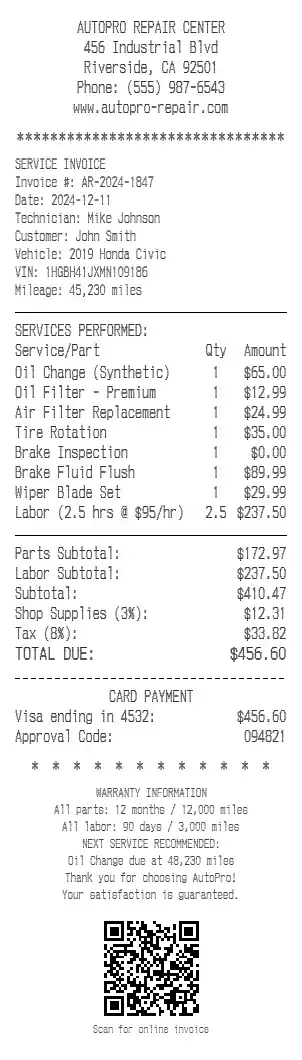
An auto-repair invoice is the printed record of work done on a vehicle — the shop and customer, the vehicle it was performed on, the parts and labor with their prices, the tax and total, and the warranty terms that back the job. This template lays out that service invoice using a generic shop design (the sample is the fictional AutoPro Repair Center), and you fill it in with your own shop, vehicle, and line items. It suits billing a customer, documenting a repair for an insurance claim, tracking fleet maintenance, or generating sample invoices to test service-management software. Every value shown below is an editable example, not a real transaction.
Shop header
The invoice opens with your logo or shop name over the contact block — the address, city and state, phone, and website (AUTOPRO REPAIR CENTER, 456 Industrial Blvd, Riverside, CA 92501, (555) 987-6543). Every line is editable.
Invoice, customer and vehicle block
A SERVICE INVOICE heading is followed by the details that identify the job: an invoice number and date, the assigned technician, and the customer and vehicle — including the VIN and mileage. For example Invoice #: AR-2024-1847, Technician: Mike Johnson, Vehicle: 2019 Honda Civic, VIN: 1HGBH41JXMN109186, Mileage: 45,230 miles.
Services, parts and labor lines
Each line lists a service or part with a quantity and amount, mixing parts and labor as the job requires — Oil Change (Synthetic) at $65.00, Air Filter Replacement at $24.99, an inspection billed at $0.00, and a labor line such as Labor (2.5 hrs @ $95/hr) at $237.50. Add as many lines as the work needs.
Totals: parts, labor, supplies and tax
The totals block separates parts from labor, then adds shop fees and tax before the amount due — Parts Subtotal: $172.97, Labor Subtotal: $237.50, Shop Supplies (3%): $12.31, Tax (8%): $33.82, TOTAL DUE: $456.60. Every rate is editable.
Payment
The payment section shows the card and approval, for example Visa ending in 4532: $456.60 with an Approval Code: 094821. It can be switched to a cash tender instead.
Warranty, next service and QR code
The foot of the invoice states the warranty on parts and labor (All parts: 12 months / 12,000 miles, All labor: 90 days / 3,000 miles), a recommended next service (an oil change due at 48,230 miles), and a QR code that can link to an online copy of the invoice. Any of these can be edited or removed.
A note on responsible use. Receipts you create here are your own documents, meant for records, billing support, testing, teaching, and design mockups. They should not be used to misrepresent work that was not performed.
Open the Auto Repair template, add your shop and vehicle details, itemize the parts and labor, and export a print-ready PNG or JPEG. It is free to use; a Pro upgrade removes the watermark.
Frequently Asked Questions
Everything you need to know about the Auto Repair receipt template
Related Templates
Explore more professional receipt templates
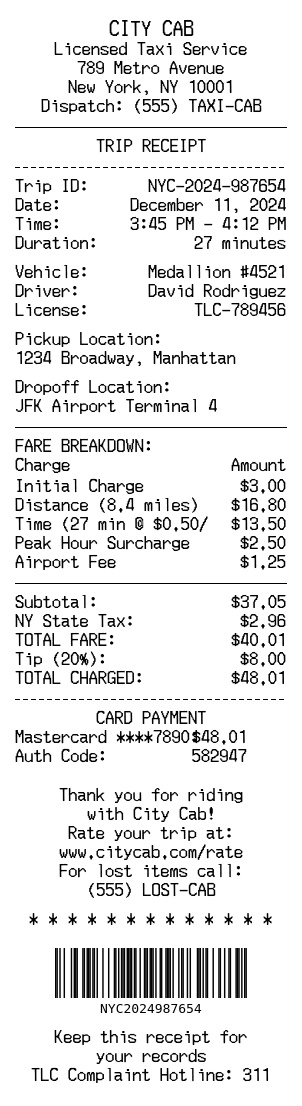
Taxi Service
ServiceCity Cab taxi receipt with trip details, fare breakdown, and payment information
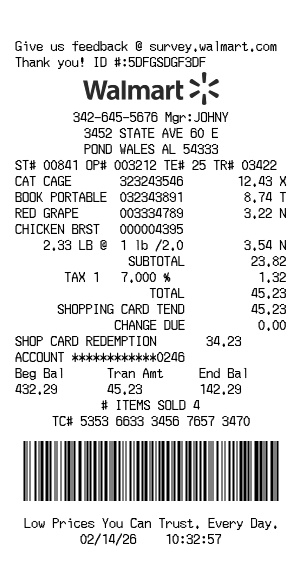
Walmart
RetailFree Walmart receipt generator with logo, itemized list, barcode, totals, and clean store-style formatting
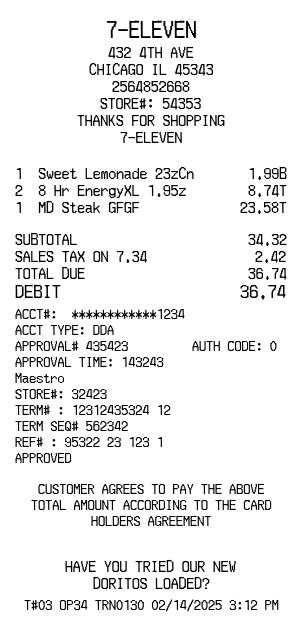
7-Eleven
RetailConvenience store receipt with title header, dividers, and payment details