
Free Receipt Maker & Generator Online
Build itemized, thermal-style receipts in seconds with a live preview — for mockups, testing, teaching and props. No signup required.

18
Templates
3
Paper Sizes
9
Section Types
PNG/JPG
Export Formats
See It in Action
Watch how easy it is to create professional thermal receipts in seconds

How It Works
Create professional receipts in 3 simple steps
Enter Receipt Details
Add items, prices, taxes, and any other transaction details.
Customize Layout
Adjust fonts, add store info, logos, and arrange sections.
Download Image
Export your receipt as PNG or JPG, ready to use.
Who It's For
Practical tools for professionals and everyday use cases
Personal Organization
Recreate receipt layouts for reference when originals are faded or unreadable.
Developers
Test receipt parsers, OCR systems, and POS integrations with sample data.
UI/UX Designers
Create receipt mockups and previews for app designs and prototypes.
Educators & Students
Teach POS systems and receipt structures with realistic examples.
Hardware Testing
Visualize receipt layouts for thermal printer setups and configurations.
Accountants
Create receipt templates for documentation examples and training materials.
Start with a template
Pre-built layouts for retail, restaurants, cafes, taxis and auto repair. Every line is editable.
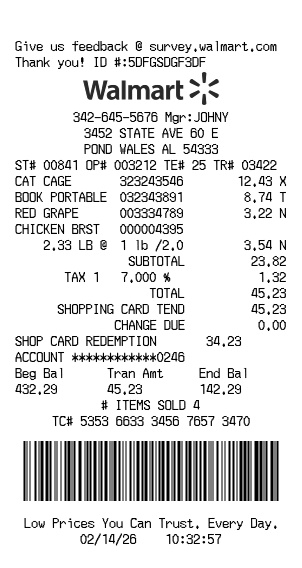
Walmart
RetailFree Walmart receipt generator with logo, itemized list, barcode, totals, and clean store-style formatting
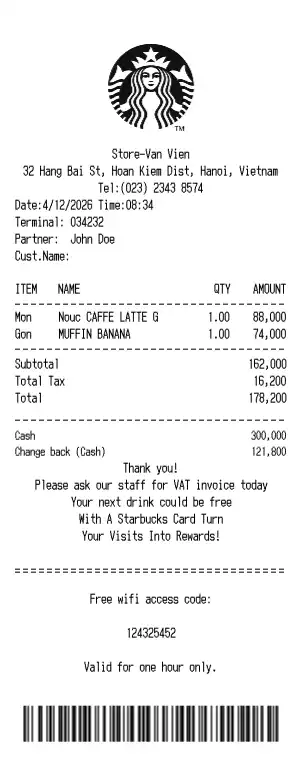
Starbucks
RestaurantCoffee shop receipt with beverage customizations, rewards points, barista info, and Starbucks-style branding
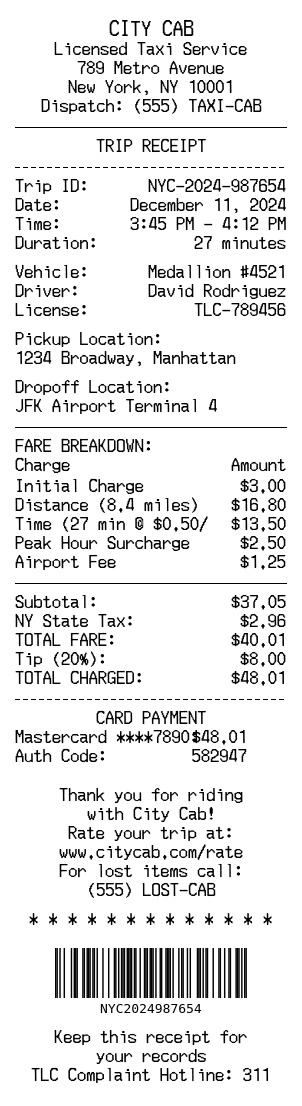
Taxi Service
ServiceCity Cab taxi receipt with trip details, fare breakdown, and payment information
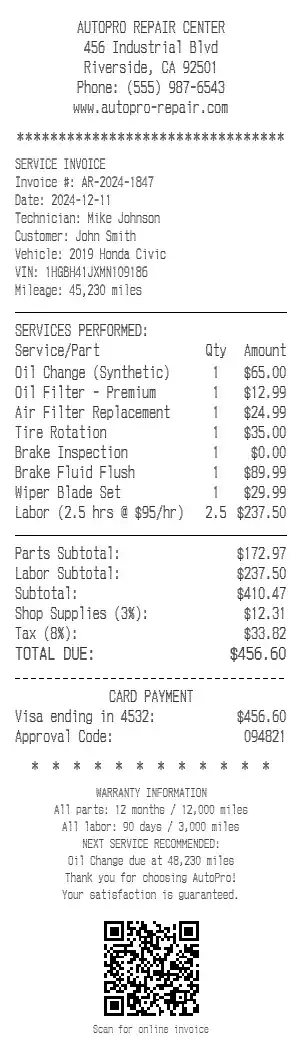
Auto Repair
ServiceAutoPro repair center service invoice with parts, labor breakdown, and QR code
Everything you need to create receipts
A complete toolkit for designing thermal receipts with professional results.
Drag & Drop Sections
Add headers, items, totals, dividers, and more. Arrange them in any order you need.
Full Customization
Control fonts, sizes, alignment, and styling for every element on your receipt.
Export Options
Download your receipts as high-quality PNG or JPG images ready for use.
QR Codes & Barcodes
Add scannable QR codes and multiple barcode formats to your receipts.
Items & Totals
Create itemized lists and totals sections with automatic formatting.
Paper Sizes
Support for 57mm, 80mm, and 110mm thermal paper widths.
Frequently Asked Questions
Common questions about our receipt generator
How do I make a receipt with this tool?+
Pick a template or start blank, then enter the store details, items, prices and totals in the editor. The preview updates as you type, and you can export the finished receipt as an image.
What is a receipt generator?+
A receipt generator is a tool that turns structured transaction details (store header, line items, tax, totals, payment) into a printed-style receipt image. It is used for mockups, testing, teaching and props.
Can I make a receipt for free?+
Yes. Free exports carry a visible watermark. Watermark-free exports are available on paid plans.
Are the generated receipts real or official?+
No. Generated receipts are samples for demos, testing, previews and education. They are not valid proof of purchase and must not be submitted for an expense claim, refund, return, warranty or insurance claim.
What paper sizes are supported?+
Receipts render at the three common thermal widths: 57mm (card terminals and handheld printers), 80mm (most POS printers) and 110mm (wide-format printers).
What can I use this receipt generator for?+
Common uses are POS and checkout mockups, testing receipt printers and receipt-scanning software, classroom exercises, film and photo props, and receipts a small business issues to its own customers.
Do you store my receipt data?+
Preview images are generated on our server and cleaned up automatically. If you sign in, templates you choose to save and your download history are kept in your account until you delete them.
Ready to create your first receipt?
No sign up required. Start building in seconds.