
Free Starbucks Receipt Generator & Template
Create a realistic Starbucks receipt in minutes with our free receipt maker. Customize items, prices, taxes, and store details — then download a clean, high-quality receipt for records, bookkeeping, or customer documentation.
- Pre-configured with all essential sections
- Fully customizable items, prices, and details
- Perfect for records, documentation, and mockups
- Thermal receipt format (80mm)
Acceptable use. Receipts created here are editable samples for lawful purposes — personal record-keeping, replacing a lost or faded receipt, mockups, testing, and education. Starbucks and any other brand names and logos are trademarks of their respective owners, referenced here for identification only; this tool is not affiliated with or endorsed by them. Do not use a generated receipt to misrepresent a real transaction, prove authenticity, impersonate a business, or deceive anyone. See our Acceptable Use Policy.
Template Features
Everything you need to create professional receipts with 23 customizable sections
23 Customizable Sections
Complete control over every element from logo to rewards stars and payment details.
Familiar Coffeehouse Style
Laid out in the familiar Starbucks style with the right sizes and terminology.
Drink Customizations
Full support for beverage modifications: shots, milk, syrups, and temperature.
Rewards Integration
Include Starbucks Rewards stars earned, member status, and benefits.
High-Resolution Export
Download in crisp PNG or JPEG formats perfect for printing and digital use.
No Watermarks
Professional receipts without watermarks or branding on your output.
Unlimited Items
Add as many beverages and food items as needed with full customization.
Completely Free
No costs, no subscriptions, no sign-up required. Generate unlimited receipts.
How to Create Your Starbucks Receipt
Generate professional Starbucks receipts in just 3 simple steps
Select Template
Choose the Starbucks receipt template from our collection of professional templates.
Customize Details
Add your custom items, prices, store information, and receipt details in real-time.
Download Receipt
Generate and download your Starbucks receipt as a high-quality PNG or JPEG image.
Use Cases & Applications
Discover how professionals use this receipt template
Business Expense Reports
Document coffee purchases for client meetings and business travel reimbursement.
Personal Budget Tracking
Track coffee spending habits and create records for personal finance management.
POS System Testing
Test coffee shop point-of-sale systems and cafe management applications.
Barista Training
Create sample receipts for training programs and coffee shop operations courses.
Rewards Documentation
Document rewards stars earned and track progress toward Starbucks Rewards benefits.
Cafe App Development
Generate realistic coffee shop receipts for mobile ordering app interfaces.
About the Starbucks Receipt Template
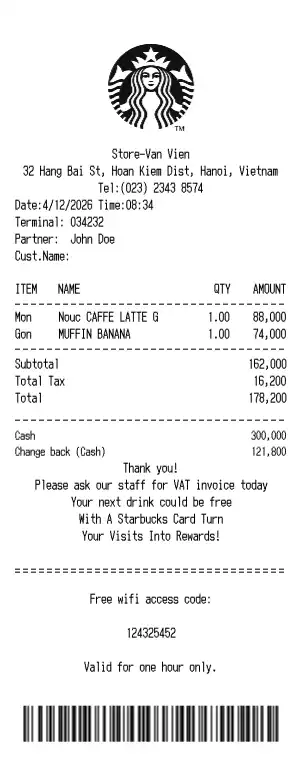
A Starbucks receipt is the printed record of a café order — the drinks and food, the tax and total, how it was paid for, and the store and partner details that show where and when it was rung up. This template reproduces that café layout section by section, and you fill it in with your own order. The sample is set at a Starbucks in Hanoi, so its amounts print in Vietnamese dong — but the currency, the store, and every line are editable. It is handy for rebuilding a coffee receipt you lost before filing a travel or client-meeting expense, keeping a personal record of café spending, or generating sample orders to test café point-of-sale and mobile-ordering screens. Nothing below is a real transaction.
Store header
Below the Starbucks logo the receipt names the store and how to reach it — a store name such as Store-Van Vien, the street address, and a phone line like Tel:(023) 2343 8574. Swap in whichever location you are documenting.
Order details
A short block records when the order was placed and who served it: the date and time (Date:4/12/2026 Time:08:34), the register or Terminal: 034232, and the barista, printed as the Partner — for example Partner: John Doe. A customer-name field sits alongside for mobile or called-out orders.
Drink and food lines
Each line of the order shows the item, quantity, unit price, and line total. Names print the way café registers abbreviate them, such as Nouc CAFFE LATTE G at 88,000 or MUFFIN BANANA at 74,000. Add as many beverages and food items as the order needs.
Totals and tax
The totals block stacks the subtotal, the tax, and the grand total — Subtotal 162,000, Total Tax 16,200, Total 178,200. Edit the figures or the tax rate to match the country and menu you are documenting.
How it was paid
The payment section shows the tender and any change returned. In this example it is a cash sale — Cash 300,000 with Change back (Cash) 121,800 — but you can switch it to a card, a Starbucks Card, or a mobile wallet instead.
Rewards and footer
The foot of the receipt carries the extras a café slip usually prints: a thank-you line, a rewards prompt inviting the customer to turn visits into stars with a Starbucks Card, and a free Wi-Fi access code such as 124325452 good for one hour, followed by a scannable barcode. Any of these lines can be edited or removed.
A note on responsible use. Receipts you create here are your own documents, meant for records, expense tracking, testing, teaching, and design mockups. They should not be used to misrepresent a purchase that did not happen or to imply endorsement by Starbucks.
Open the Starbucks template, enter your order, and export a crisp PNG or JPEG. It is free to use; a Pro upgrade removes the watermark.
Frequently Asked Questions
Everything you need to know about the Starbucks receipt template
Related Templates
Explore more professional receipt templates
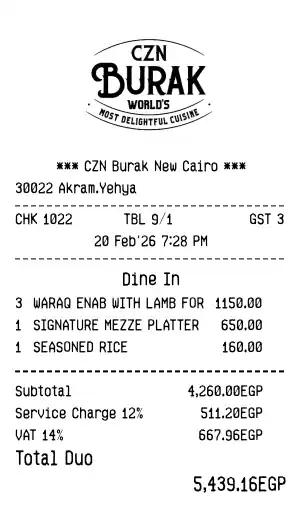
CZN Burak
RestaurantTurkish restaurant receipt in the CZN Burak style, featuring fine dining items, service charge, VAT, and dine-in details
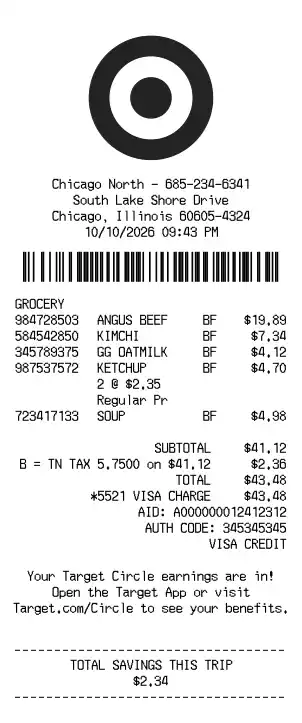
Target
RetailMajor retail chain receipt with itemized products, discounts, payment details, and rewards program information
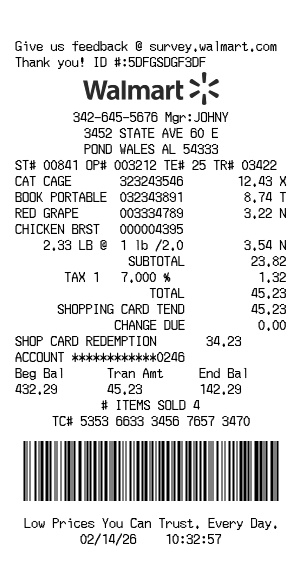
Walmart
RetailFree Walmart receipt generator with logo, itemized list, barcode, totals, and clean store-style formatting