
Free 7-Eleven Receipt Generator & Template
Create a realistic 7-Eleven receipt in minutes with our free receipt maker. Customize items, prices, taxes, and store details — then download a clean, high-quality receipt for records, bookkeeping, or customer documentation.
- Pre-configured with all essential sections
- Fully customizable items, prices, and details
- Perfect for records, documentation, and mockups
- Thermal receipt format (80mm)
Acceptable use. Receipts created here are editable samples for lawful purposes — personal record-keeping, replacing a lost or faded receipt, mockups, testing, and education. 7-Eleven and any other brand names and logos are trademarks of their respective owners, referenced here for identification only; this tool is not affiliated with or endorsed by them. Do not use a generated receipt to misrepresent a real transaction, prove authenticity, impersonate a business, or deceive anyone. See our Acceptable Use Policy.
Template Features
Everything you need to create professional receipts with 15 customizable sections
15 Customizable Sections
Complete control over all receipt elements including store details, items, fuel purchases, and totals.
Familiar Layout
Laid out in the familiar 7-Eleven style with a clean, readable format.
Fuel Purchase Support
Special formatting for gas station receipts including fuel type, gallons, and price per gallon.
High-Quality Export
Download receipts in crisp PNG or JPEG formats perfect for printing and digital use.
Real-Time Preview
See your receipt update instantly as you make changes with live preview functionality.
No Watermarks
Professional receipts without watermarks or branding on your final output.
Flexible Items
Add unlimited line items with customizable columns for products and services.
Free & Unlimited
Generate as many receipts as you need without any costs or restrictions.
How to Create Your 7-Eleven Receipt
Generate professional 7-Eleven receipts in just 3 simple steps
Select Template
Choose the 7-Eleven receipt template from our collection of professional templates.
Customize Details
Add your custom items, prices, store information, and receipt details in real-time.
Download Receipt
Generate and download your 7-Eleven receipt as a high-quality PNG or JPEG image.
Use Cases & Applications
Discover how professionals use this receipt template
Travel Expense Reports
Document convenience store purchases during business travel for accurate expense reimbursement.
Fuel Receipt Documentation
Track gas purchases and mileage for business travel and vehicle expense reporting.
App Development
Create convenience store receipt mockups for mobile apps and retail software interfaces.
Software Testing
Test retail POS systems and convenience store software with realistic receipt data.
Budget Tracking
Monitor and track convenience store spending patterns for personal budgeting.
Educational Use
Create sample receipts for retail training programs and point-of-sale system demonstrations.
About the 7-Eleven Receipt Template
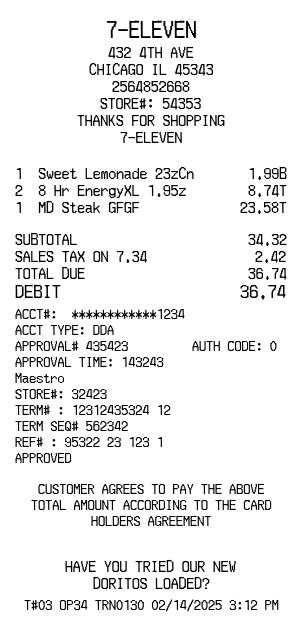
A 7-Eleven receipt is the short thermal slip a convenience store prints for a quick purchase — a store header, an item list, the tax and total, how it was paid, and a card-authorization block when a card is used. 7-Eleven is the largest convenience chain in the world, so this compact format is a familiar one. This template reproduces it section by section, and you fill it in with your own store and items. It is commonly used to reproduce a lost or faded receipt for an expense claim, to keep a personal spending record, or to generate sample data for testing convenience-store point-of-sale software. Every value shown below is an editable example, not a real transaction.
Store header
The receipt opens with the 7-ELEVEN name over the store block — the street address, city and state, phone number, and store number (STORE#: 54353), usually closing with a short THANKS FOR SHOPPING line. Each field is yours to set.
Item lines and tax flags
Items print in three columns — quantity, description, and price — with a one-letter tax flag tucked against the price showing how that line was taxed. Names use the clipped convenience-store style, such as Sweet Lemonade 23zCn at 1.99B, 8 Hr EnergyXL 1.95z at 8.74T, and MD Steak GFGF at 23.58T. Add as many lines as the sale needs and set the flag on each one.
Totals and tender
The totals block stacks the subtotal, the sales tax, and the amount due — SUBTOTAL 34.32, SALES TAX ON 7.34 2.42, TOTAL DUE 36.74 — then repeats the total on a bold tender line naming how it was paid, for example DEBIT 36.74. The rate and tender type are both editable.
Card authorization block
When the sale is paid by card, a dense authorization block follows: a masked account number (ACCT#: ************1234), the account type, an approval number and time (APPROVAL# 435423), the network (Maestro), terminal and reference numbers (REF# : 95322 23 123 1), and an APPROVED status. Switch it to cash and this block simply drops away.
Promo and transaction footer
The foot of the receipt carries a cardholder-agreement line, an optional promo message such as a new-product plug, and the transaction stamp that identifies the sale — the terminal, operator, and transaction numbers with the date and time, for example T#03 OP34 TRN0130 02/14/2025 3:12 PM. Any of these lines can be edited or removed.
A note on responsible use. Receipts you create here are your own documents, meant for records, expense tracking, testing, teaching, and design mockups. They should not be used to misrepresent a purchase that did not happen or to imply endorsement by 7-Eleven.
Open the 7-Eleven template, edit any section, and export a print-ready PNG or JPEG. It is free to use; a Pro upgrade removes the watermark.
Frequently Asked Questions
Everything you need to know about the 7-Eleven receipt template
Related Templates
Explore more professional receipt templates
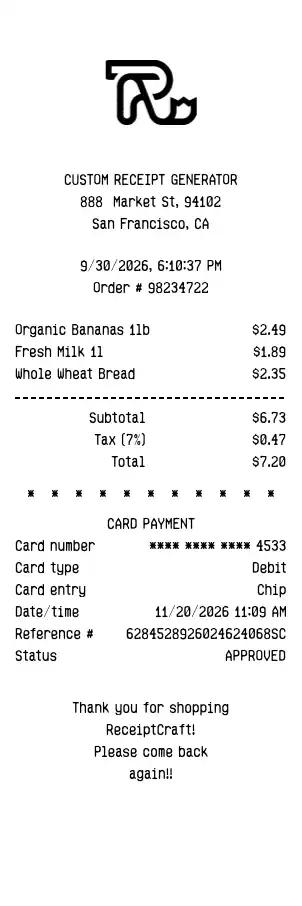
Default
RetailClean, minimalist receipt template with all essential sections for general business use
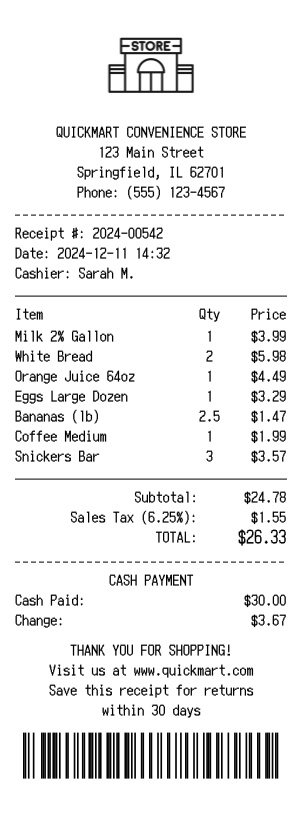
Convenience Store
RetailProfessional QuickMart convenience store receipt with logo, grocery items, and barcode
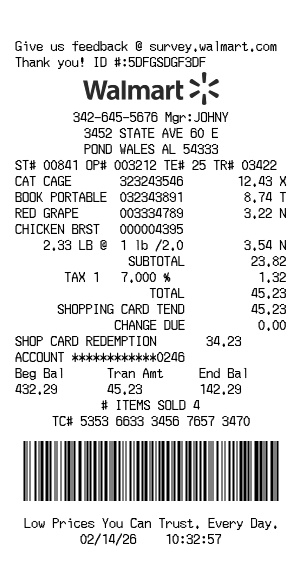
Walmart
RetailFree Walmart receipt generator with logo, itemized list, barcode, totals, and clean store-style formatting