
Free Default Receipt Generator & Template
Build a sample receipt in the Default layout with our free receipt maker. Customize items, prices, taxes, and store details, then download a clean image for mockups, software and printer testing, teaching, or props.
- Pre-configured with all essential sections
- Fully customizable items, prices, and details
- Perfect for records, documentation, and mockups
- Thermal receipt format (80mm)
Acceptable use. Receipts created here are editable samples for lawful purposes — mockups, software and printer testing, props, and education. They are not proof of purchase. Default and any other brand names and logos are trademarks of their respective owners, referenced here for identification only; this tool is not affiliated with or endorsed by them. Do not use a generated receipt to misrepresent a real transaction, prove authenticity, impersonate a business, or deceive anyone. See our Acceptable Use Policy.
Template Features
Everything you need to create professional receipts with 13 customizable sections
Versatile & Universal
Suitable for any business type, industry, or receipt generation need without brand-specific styling.
13 Customizable Sections
Full control over every receipt element including header, items, payment details, and footer.
Clean Minimalist Design
Professional, easy-to-read format that puts your content first without unnecessary visual clutter.
Complete Payment Details
Support for both cash and card payments with detailed transaction information.
High-Resolution Export
Download in crisp PNG or JPEG formats perfect for printing and digital use.
No Watermarks
Clean, professional receipts with no watermarks or branding on your generated output.
Unlimited Items
Add as many line items as needed to your receipt with flexible formatting.
Free & Unlimited
Generate unlimited receipts without any costs, subscriptions, or restrictions.
How to Create Your Default Receipt
Generate professional Default receipts in just 3 simple steps
Select Template
Choose the Default receipt template from our collection of professional templates.
Customize Details
Add your custom items, prices, store information, and receipt details in real-time.
Download Receipt
Generate and download your Default receipt as a high-quality PNG or JPEG image.
Use Cases & Applications
Discover how professionals use this receipt template
Small Business Receipts
Perfect for small retail shops, boutiques, and local businesses needing professional customer receipts.
Freelance & Services
Ideal for freelancers, consultants, and service providers documenting client payments.
Software Development
Test payment systems, receipt printers, and POS applications with realistic receipt data.
Record Keeping
Create clean, professional receipts for personal or business record-keeping purposes.
Mock Receipts
Generate sample receipts for demos, presentations, or educational materials.
General Documentation
Versatile template suitable for any business type or documentation requirement.
About the Default Receipt Template
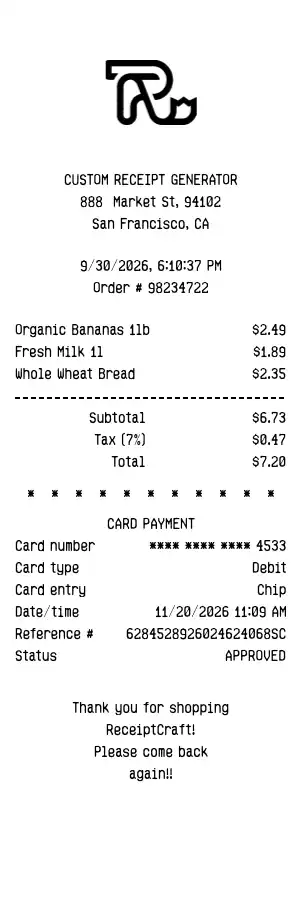
A receipt is the printed record of a transaction — the business, the items and prices, the tax and total, how it was paid, and a thank-you line. The Default template is a clean, unbranded version of that format: no brand styling, just the essential elements you fill in with your own business, items, and payment details. It is a good starting point for a small shop or freelancer issuing receipts to their own customers, or for testing payment systems and receipt printers with sample data. Every value shown below is an editable example, not a real transaction.
Business header
The receipt opens with your logo or business name over the location block — the street address and city (CUSTOM RECEIPT GENERATOR, 888 Market St, 94102, San Francisco, CA). Replace these with your own details.
Order line
A short line stamps the transaction with a date, time, and order number — for example 9/30/2026, 6:10:37 PM and Order # 98234722.
Item lines
Items print as a description and price, one per line — such as Organic Bananas 1lb at $2.49, Fresh Milk 1l at $1.89, and Whole Wheat Bread at $2.35. Add as many items or services as the sale needs.
Totals and tax
The totals block stacks the subtotal, tax with its rate, and the total — Subtotal $6.73, Tax (7%) $0.47, Total $7.20. Adjust the rate to match your locale.
Payment block
The payment section lays out card details the way a terminal slip does: a masked card number, card type and entry method, a timestamp, a reference number, and a status — Card number **** **** **** 4533, Card type Debit, Card entry Chip, Reference # 6284528926024624068SC, Status APPROVED. It can also be set to a simple cash tender.
Footer
The foot of the receipt closes with a customizable thank-you message. Edit it, or remove it, to suit your business.
A note on responsible use. Receipts you create here are your own documents, meant for receipts your own business issues, testing, teaching, and design mockups. They should not be used to misrepresent a purchase that did not happen.
Open the Default template, enter your business details and items, set the payment method, and export a print-ready PNG or JPEG. It is free to use; a Pro upgrade removes the watermark.
Frequently Asked Questions
Everything you need to know about the Default receipt template
What is the Default receipt template best used for?+
The Default template is a versatile, general-purpose receipt format suitable for any business type. It works perfectly for small retail businesses, service providers, freelancers, software testing, record-keeping, and any situation where you need a clean, professional receipt without brand-specific styling.
Can I customize the business name and details?+
Yes, absolutely! The Default template is fully customizable. You can change the business name, add your store location and address, include contact information, modify the transaction date and time, and personalize all text elements to match your specific business needs.
What sections are included in the Default template?+
The template includes 13 customizable sections: business name header, store location and details, receipt number, date and time, itemized product/service listings with prices, subtotal, tax calculation, total amount, payment method details (card number, type, entry method), transaction reference number, approval status, and a customizable thank-you message.
How do I add items to my receipt?+
Adding items is simple! Use the Items List section in the receipt editor to add products or services. For each item, you can specify the item name and price. You can add unlimited items, making the template suitable for transactions of any size.
Can I include card payment information?+
Yes! The Default template includes a Payment section where you can add card payment details such as masked card numbers, card type (debit/credit), entry method (chip/swipe/contactless), transaction date and time, reference numbers, and approval status. You can also use it for cash payments.
Is the Default receipt generator free?+
Yes, our Default receipt generator is completely free to use with no limitations. Generate unlimited receipts, download them in high-resolution formats (PNG or JPEG), and enjoy full customization capabilities without any costs, watermarks, or sign-up requirements.
What file formats can I download?+
You can download your generated receipts in two high-quality formats: PNG (for crystal-clear images with transparency support) and JPEG (for smaller file sizes). Both formats are suitable for printing, digital storage, email, and sharing.
How is the Default template different from branded templates?+
The Default template is a clean, minimalist design without any specific brand styling. Unlike Walmart or 7-Eleven templates which recreate those brands' specific receipt formats, the Default template provides a neutral, professional receipt format that you can customize with your own business name and branding. It's perfect when you need a general receipt format rather than a specific brand's style.
Related Templates
Explore more professional receipt templates
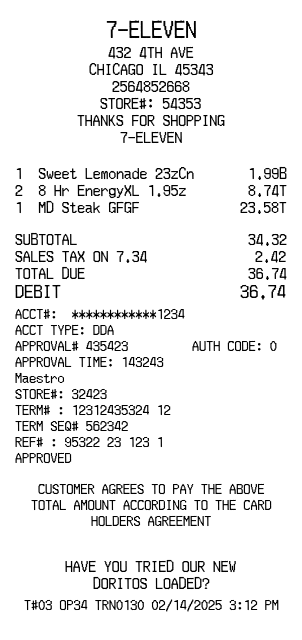
7-Eleven
RetailConvenience store receipt with title header, dividers, and payment details
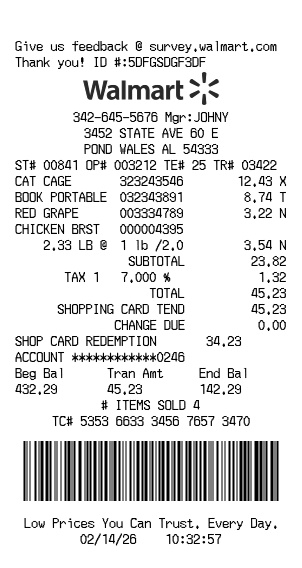
Walmart
RetailFree Walmart receipt generator with logo, itemized list, barcode, totals, and clean store-style formatting
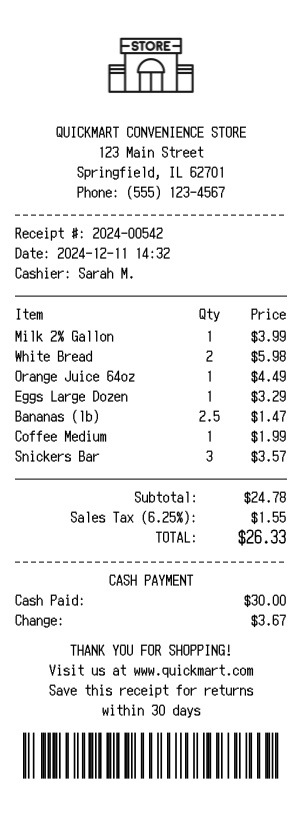
Convenience Store
RetailProfessional QuickMart convenience store receipt with logo, grocery items, and barcode