
Free Convenience Store Receipt Generator & Template
Create a realistic Convenience Store receipt in minutes with our free receipt maker. Customize items, prices, taxes, and store details — then download a clean, high-quality receipt for records, bookkeeping, or customer documentation.
- Pre-configured with all essential sections
- Fully customizable items, prices, and details
- Perfect for records, documentation, and mockups
- Thermal receipt format (80mm)
Acceptable use. Receipts created here are editable samples for lawful purposes — personal record-keeping, replacing a lost or faded receipt, mockups, testing, and education. Convenience Store and any other brand names and logos are trademarks of their respective owners, referenced here for identification only; this tool is not affiliated with or endorsed by them. Do not use a generated receipt to misrepresent a real transaction, prove authenticity, impersonate a business, or deceive anyone. See our Acceptable Use Policy.
Template Features
Everything you need to create professional receipts with 12 customizable sections
12 Customizable Sections
Complete control over logo, store info, items, payment details, and barcode elements.
Logo Upload Support
Upload your own store logo with size and opacity controls for perfect branding.
Unlimited Line Items
Add as many products as needed with quantity and price for each item.
Barcode Generation
Multiple barcode formats (CODE128, EAN13, UPC) for transaction tracking.
Flexible Payment Display
Support for cash and card payments with detailed transaction information.
Professional Design
Clean, modern layout that looks professional for customer-facing receipts.
High-Quality Export
Download in crisp PNG or JPEG formats perfect for printing and digital use.
Completely Free
No costs, no watermarks, no sign-up required. Generate unlimited receipts.
How to Create Your Convenience Store Receipt
Generate professional Convenience Store receipts in just 3 simple steps
Select Template
Choose the Convenience Store receipt template from our collection of professional templates.
Customize Details
Add your custom items, prices, store information, and receipt details in real-time.
Download Receipt
Generate and download your Convenience Store receipt as a high-quality PNG or JPEG image.
Use Cases & Applications
Discover how professionals use this receipt template
Small Retail Operations
Perfect for neighborhood convenience stores and corner shops needing professional customer receipts.
POS System Testing
Test point-of-sale systems and retail software with realistic convenience store transaction data.
Expense Documentation
Document convenience store purchases for business expense reports and reimbursement.
Inventory Management
Track product sales and inventory with barcode-enabled receipt generation.
Staff Training
Create sample receipts for training new cashiers and demonstrating POS procedures.
Design Mockups
Generate realistic receipt mockups for retail app interfaces and e-commerce platforms.
About the Convenience Store Receipt Template
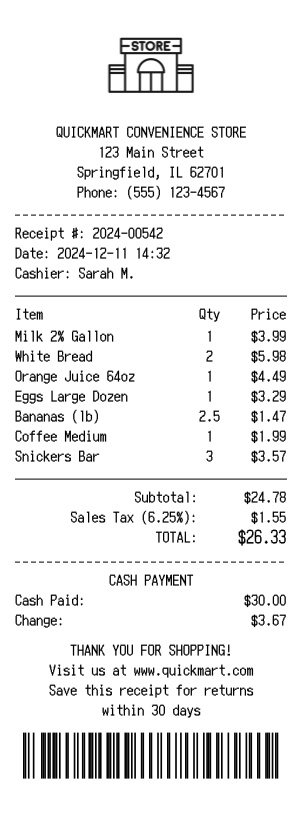
A convenience-store receipt is the printed record of a quick neighborhood purchase — the items and quantities, the subtotal and tax, how much cash was tendered and what came back as change. This template lays out that everyday format using a generic corner-store design (the sample store is the fictional QuickMart), and you fill it in with your own store, items, and prices. It works equally well as a real customer receipt for a small shop and as sample data for testing point-of-sale systems, keeping an expense record, or training new cashiers. Every value shown below is an editable example, not a real transaction.
Store header
The receipt opens with your logo or store name over the store block — the address, city and state, and phone (QUICKMART CONVENIENCE STORE, 123 Main Street, Springfield, IL 62701, Phone: (555) 123-4567). Upload a logo or keep a plain text header; every line is editable.
Receipt and cashier line
A short block identifies the sale and who rang it: a receipt number, the date and time, and the cashier — for example Receipt #: 2024-00542, Date: 2024-12-11 14:32, Cashier: Sarah M.
Item lines
Items print in three columns — quantity, description, and price — covering the mix a corner store sells, such as Milk 2% Gallon at $3.99, Eggs Large Dozen at $3.29, or a weighed line like Bananas (lb) at 2.5 for $1.47. Add as many items as the basket needs.
Totals and tax
The totals block stacks the subtotal, the sales tax shown with its rate, and the final total — Subtotal: $24.78, Sales Tax (6.25%): $1.55, TOTAL: $26.33. Adjust the rate to match your locale.
Payment and change
The payment section shows how the sale was settled. In this example it is cash — Cash Paid: $30.00 with the Change: $3.67 highlighted — but it can be switched to a card with an approval code instead.
Footer and barcode
The foot of the receipt carries a thank-you line, the store's website, a returns window, and a scannable CODE128 barcode for tracking. Any of these lines can be edited or removed.
A note on responsible use. Receipts you create here are your own documents, meant for records, expense tracking, testing, teaching, and design mockups. They should not be used to misrepresent a purchase that did not happen.
Open the Convenience Store template, add your store details and items, and export a print-ready PNG or JPEG. It is free to use; a Pro upgrade removes the watermark.
Frequently Asked Questions
Everything you need to know about the Convenience Store receipt template
Related Templates
Explore more professional receipt templates
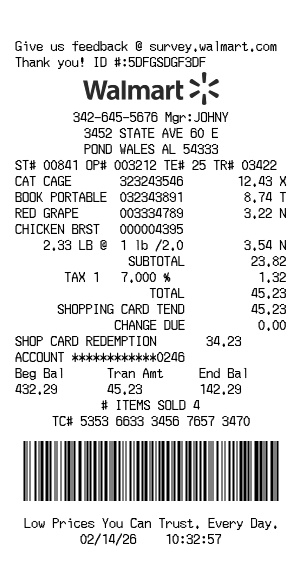
Walmart
RetailFree Walmart receipt generator with logo, itemized list, barcode, totals, and clean store-style formatting
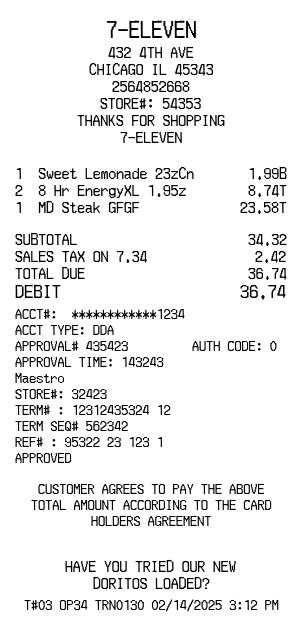
7-Eleven
RetailConvenience store receipt with title header, dividers, and payment details

Balenciaga
RetailPremium fashion retail receipt with itemized luxury products, sales tax analysis, and barcode