
Free Balenciaga Receipt Generator & Template
Create a realistic Balenciaga receipt in minutes with our free receipt maker. Customize items, prices, taxes, and store details — then download a clean, high-quality receipt for records, bookkeeping, or customer documentation.
- Pre-configured with all essential sections
- Fully customizable items, prices, and details
- Perfect for records, documentation, and mockups
- Thermal receipt format (80mm)

Acceptable use. Receipts created here are editable samples for lawful purposes — personal record-keeping, replacing a lost or faded receipt, mockups, testing, and education. Balenciaga and any other brand names and logos are trademarks of their respective owners, referenced here for identification only; this tool is not affiliated with or endorsed by them. Do not use a generated receipt to misrepresent a real transaction, prove authenticity, impersonate a business, or deceive anyone. See our Acceptable Use Policy.
Template Features
Everything you need to create professional receipts with 24 customizable sections
Fully Customizable
Control every element — store, transaction codes, item, totals, and tax analysis.
Boutique Layout
A designer-retail format with a store header and an itemized product line.
Sales-Tax Analysis Table
Break the tax out by jurisdiction with code, taxable, rate, total, and tax columns.
Product & Salesperson Codes
Add a product code, size, and salesperson reference beneath the item line.
Barcode Support
Generate a CODE128 barcode with your own encoded value near the footer.
High-Resolution Export
Download in crisp PNG or JPEG formats suitable for printing and digital use.
Instant Preview
See your receipt update in real time as you edit each section.
Free to Use
Generate receipts at no cost; a Pro upgrade removes the watermark.
How to Create Your Balenciaga Receipt
Generate professional Balenciaga receipts in just 3 simple steps
Select Template
Choose the Balenciaga receipt template from our collection of professional templates.
Customize Details
Add your custom items, prices, store information, and receipt details in real-time.
Download Receipt
Generate and download your Balenciaga receipt as a high-quality PNG or JPEG image.
Use Cases & Applications
Discover how professionals use this receipt template
Personal Purchase Records
Keep an organized record of a boutique purchase for your own files.
Expense Documentation
Rebuild a faded slip before filing a purchase for expense or reimbursement records.
Boutique POS Mockups
Create realistic sample receipts for fashion-retail point-of-sale interfaces and demos.
Software Testing
Test retail and payment systems with realistic designer-retail receipt data.
Design & Film Props
Generate receipt props for mockups, set dressing, and presentation materials.
Educational Materials
Create sample receipts for retail training and accounting coursework.
About the Balenciaga Receipt Template
A fashion-retail receipt is the printed record of a designer purchase — the item bought, the store and transaction codes, the subtotal and tax, the total, a sales-tax breakdown, and the return terms. This template lays out that boutique format section by section, and you fill it in with your own store, item, and amounts. It is handy for keeping a personal record of a purchase, reproducing a slip that has faded before filing an expense, building a mockup for a boutique's point-of-sale screen, or generating sample data for testing. Every value shown below is an editable example, not a real transaction.
Store header
The receipt opens with the store name over its address — for example The Shop at Long Mountains, 312 Harris Doe, Space A-123, Long Mountains IN 07198. Replace these with your own store details.
Transaction codes
A paired-column block carries the codes that identify the sale — a transaction number and date, the store and register, and the cashier and customer, such as Trans #: 7233, Date: 5/10/25 13:44:21, Store: 34232, Register: 3, Cashier: 34890759, Customer: Jon Doe. Each is yours to set.
Item line
Items print in four columns — item, quantity, price, and amount in USD — with a product-code and salesperson line beneath, for example a line at 950.00 described as 052 MEN SWEATER 2967XL 54DF5R in size XL with a Salesperson: 0734535 (SARAH) reference. Add as many items as the sale needs.
Totals and tax analysis
The totals block stacks the subtotal, tax, and total in USD — Subtotal 950.00, Tax 50.00, Total (USD) 1,000.00 — and a sold-item count. A Sales Tax Analysis table then breaks the tax out by jurisdiction, with columns for the code, taxable amount, rate, total, and tax (for example Local, 950.00, 5.26%, 1,000.00, 50.00). Every figure is editable.
Return policy, barcode and footer
The foot of the receipt carries a scannable CODE128 barcode, the store's return terms (a thirty-day window with a note that the sale is final), and a closing Have a nice day! line. Any of these can be edited or removed.
A note on responsible use. Receipts you create here are your own documents, meant for records, expense tracking, testing, teaching, and design mockups. Balenciaga is a trademark of its owner, used here for identification only; this tool is not affiliated with or endorsed by it. Do not use a generated receipt to misrepresent a purchase that did not happen, to prove authenticity or ownership of an item, or to deceive a buyer, insurer, or reseller.
Open the Balenciaga template, edit any section, and export a print-ready PNG or JPEG. It is free to use; a Pro upgrade removes the watermark.
Frequently Asked Questions
Everything you need to know about the Balenciaga receipt template
Related Templates
Explore more professional receipt templates
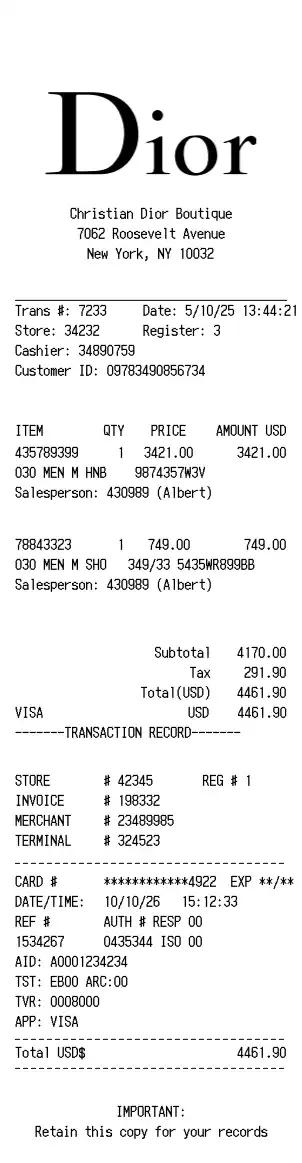
Dior
RetailHigh-end fashion boutique receipt with luxury product details, boutique information, and premium branding

Louis Vuitton
RetailLuxury fashion house receipt with detailed product information, store details, refund policy, and premium barcode
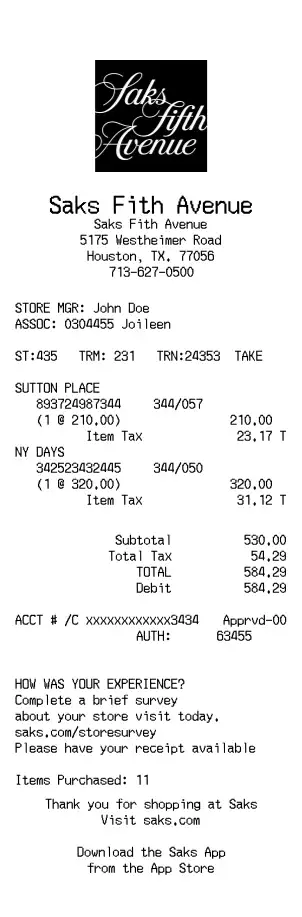
Saks Fifth Avenue
RetailLuxury department store receipt with designer items, payment details, and premium retail formatting